
The frequencies on this page can be generated using either a Feeltech dual-channel signal generator or a suitable function-generator application on a phone or tablet. The purpose of the system is to select a frequency that corresponds as closely as possible to the physical, emotional or mental imbalance being explored.
The frequencies and procedures described here remain experimental. They are presented to support careful investigation and should not replace medical diagnosis, prescribed treatment or appropriate professional care.
Entering the Frequencies
When using a Feeltech dual signal generator, the frequencies should be entered on the default kHz scale.
For example, the experimental frequency associated with hay fever would be entered as:
469.234 kHz
A phone or tablet can also be used with a suitable function-generator application.
When using the phone application described later on this page, omit the final digit from the listed frequency and enter the shortened value in either hertz or kilohertz.
For example, the hay fever frequency may be entered as:
469.23 Hz
or:
4.6923 kHz
Specific Remedies
The following experimental frequencies are currently being explored:
Hay Fever: 469.234
Insomnia: 532.728
Stress: 241.237
Anxiety: 847.943
Depression: 479.273
Allergies: 746.123
Autoimmune: 974.219
These frequencies may provide a straightforward starting point when one of the listed conditions is the principal focus.
The balancing system below offers a wider approach based upon the particular combination of mental, emotional and physical imbalances being experienced.
Balancing Frequencies
The balancing system considers three areas of human experience:
● Mental state.
● Emotional state.
● Physical condition.
Each area can be visualised as a seesaw that may tip in one direction, remain balanced or tip in the opposite direction.
| Mental | Inward Imbalance | Balanced | Outward Imbalance |
| Emotions | Repressed | Balanced | Expressed |
| Physical | Chronic Pain | Pain-free | Acute Pain |
Choose the description that most closely matches the person’s present condition in each of the three categories.
Each choice has an associated number. When the three numbers are placed together, they form a three-digit code that corresponds with one of the frequencies in the tables below.
Mental
| (1) Inward Imbalance: lack of enthusiasm, self-absorption, fear of the unknown, keeping problems to oneself and dwelling on the past. |
| (2) Balanced: a generally balanced mental outlook without a clear inward or outward tendency. |
| (3) Outward Imbalance: excessive enthusiasm, excessive concern for others, fear of known situations, a strong need to discuss problems and persistent concern about the future. |
Emotions
| (4) Repressed Emotions: hopelessness, worry, fear of failure, guilt, shame, envy, jealousy and loneliness. |
| (5) Balanced Emotions: a generally stable emotional state without strong repression or excessive expression. |
| (6) Expressed Emotions: anger, frustration, fear, sadness, grief, stress, despair and depression. |
Physical
| (7) Chronic Pain: pain or discomfort that has continued for a significant period and may be deep-seated. Examples include allergies, kidney stones, migraines and autoimmune symptoms. |
| (8) Pain-free: no significant physical pain or discomfort at the time of assessment. |
| (9) Acute Pain: pain that begins suddenly and is generally short-term. Examples include headaches, toothache, sports injuries, nerve pain and referred pain. |
For example, a person experiencing an inward mental imbalance (1), expressed emotional stress (6) and no physical pain (8) would produce the three-digit code:
168
Frequency Table
There are 27 possible combinations, each of which has an associated experimental frequency.
The example code 168 corresponds with a frequency of:
531.316 kHz
This frequency can be entered into one channel of the dual signal generator.
When the generator is connected to the Double Coils, the person sits or rests within the resulting field for the chosen session period.
| 147 | 649.453 | 148 | 289.746 | 149 | 986.243 | ||
| 157 | 286.742 | 158 | 346.218 | 159 | 724.143 | ||
| 167 | 724.818 | 168 | 531.316 | 169 | 825.168 |
| 247 | 712.687 | 248 | 132.943 | 249 | 174.238 | ||
| 257 | 821.369 | 258 | 694.237 | 259 | 736.214 | ||
| 267 | 723.598 | 268 | 329.423 | 269 | 918.613 |
| 347 | 248.236 | 348 | 586.236 | 349 | 439.286 | ||
| 357 | 398.129 | 358 | 215.726 | 359 | 623.748 | ||
| 367 | 413.897 | 368 | 725.687 | 369 | 738.423 |
Using a Phone or Tablet
A phone or tablet can be used as an alternative signal generator by installing a suitable function-generator application.
The application illustrated on this page is called Function Generator and was available free of charge when these instructions were prepared.
A 3.5 mm stereo jack lead is also required.
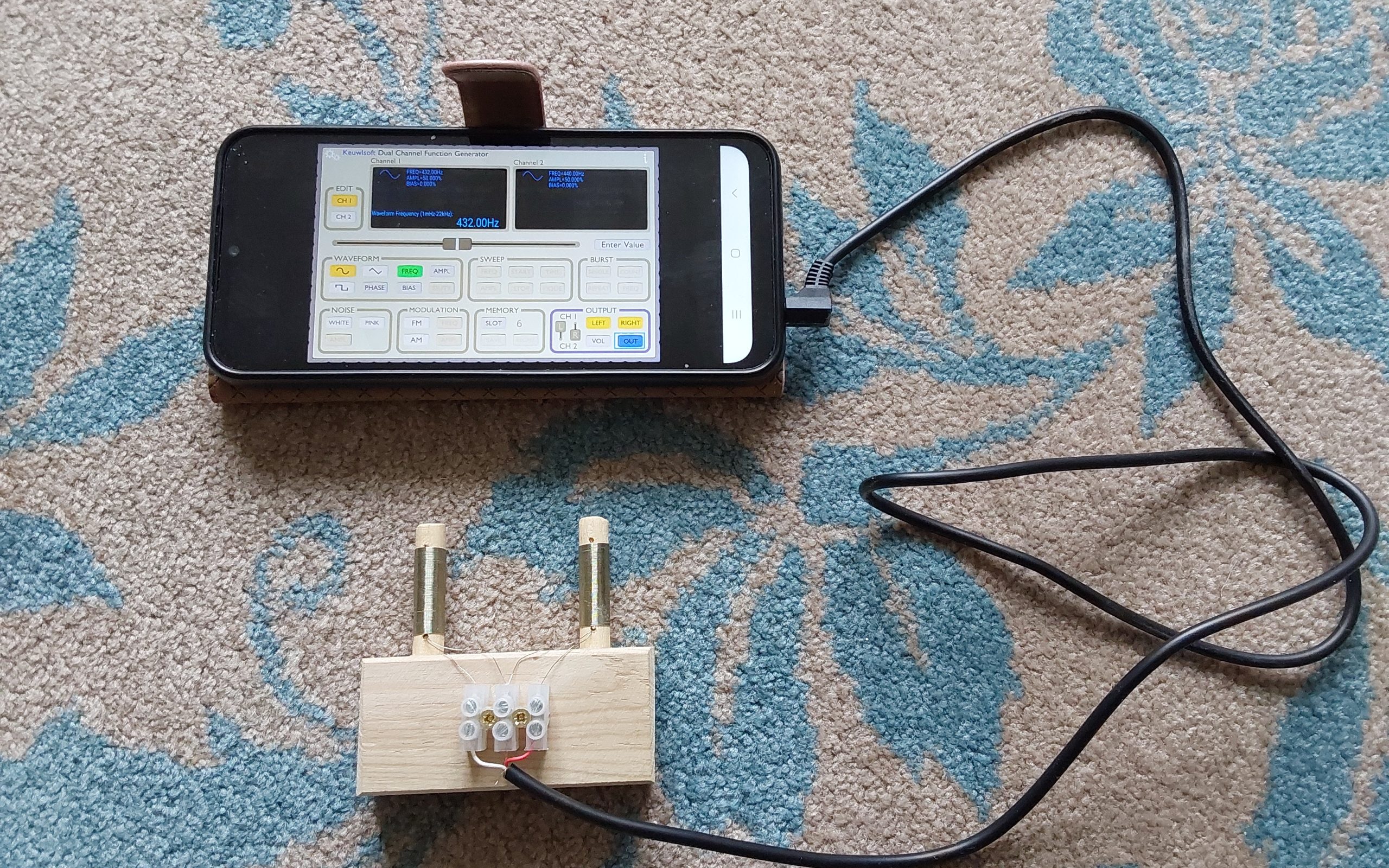
The wiring must be identified correctly before connecting the phone to the Double Coils.
On a standard 3.5 mm stereo plug:
● The tip carries the Left output.
● The central segment carries the Right output.
● The final section is the Common or Earth connection.
The colours used inside jack leads are not standardised. A simple multimeter should therefore be used on its continuity setting to identify which wire is connected to each section of the plug.
In the photograph above, the left-channel wire is red and the right-channel wire is white. Other leads may use different colours.
For these instructions:
● Channel 1 is connected to the Left output.
● Channel 2 is connected to the Right output.
Setting the Function Generator App
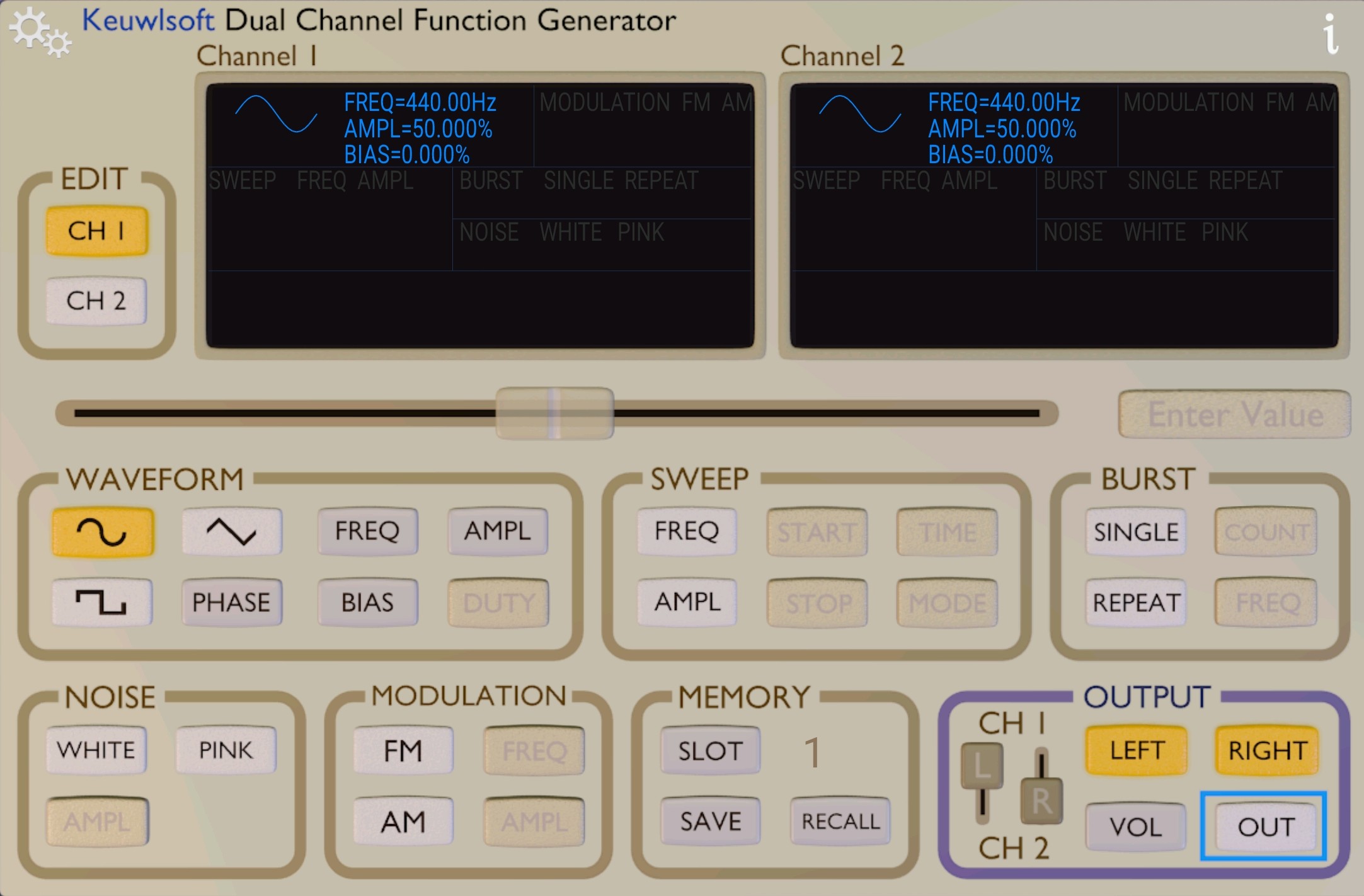
Check that the L and R sliders match the arrangement shown in the photograph. This helps to ensure that the correct output channel is selected.
To enter a frequency on Channel 1:
● Select CH 1.
● Select FREQ within the waveform controls.
● Enter the required frequency in the Enter Value box.
● Select either Hz or kHz, according to the value being entered.
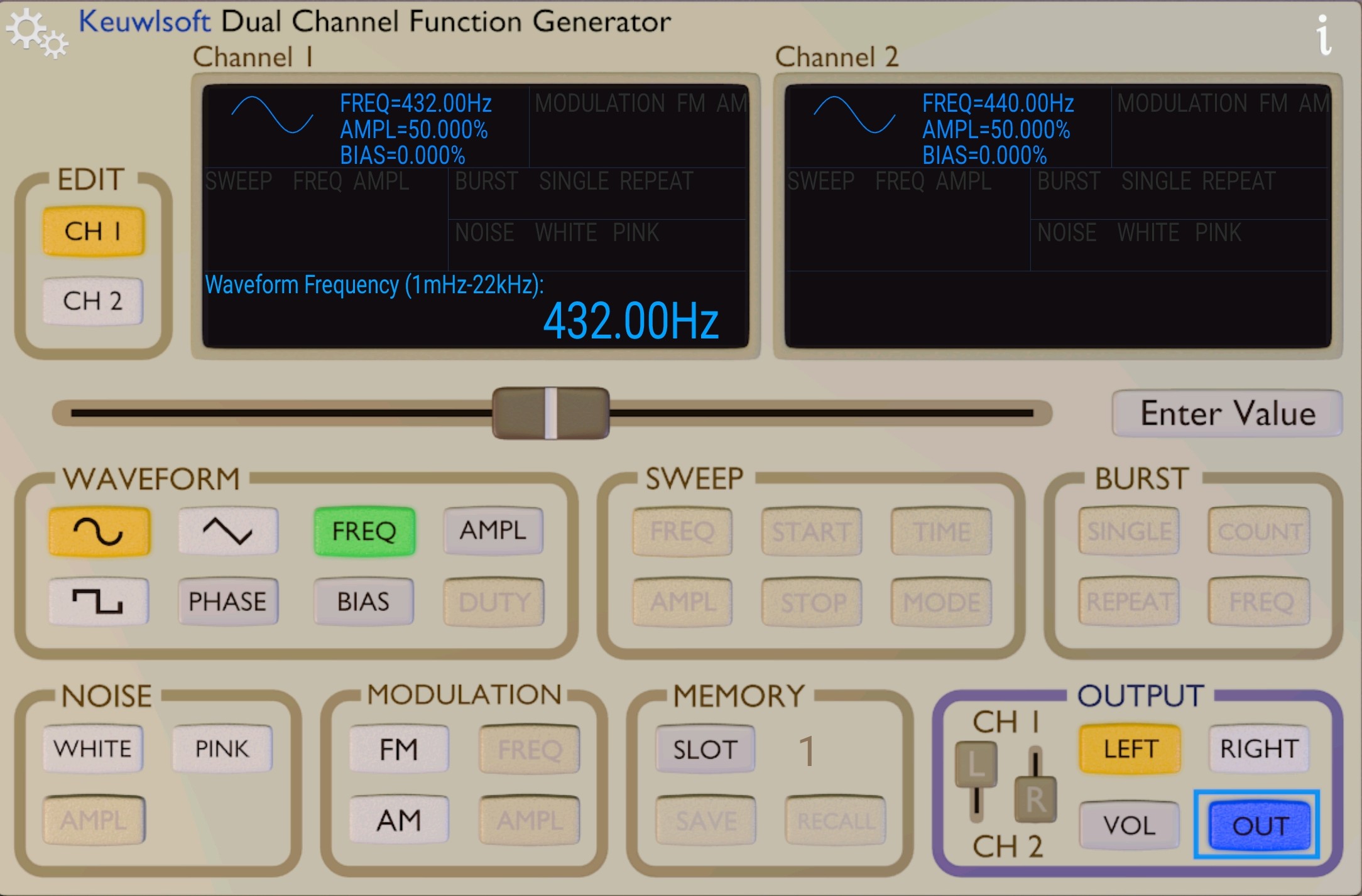
The chosen frequency will then appear on the left-hand display.
The example below shows Channel 1 set to 432 Hz.
To enter a frequency on Channel 2:
● Select CH 2.
● Enter the required value in the Enter Value box.
● Select either Hz or kHz.
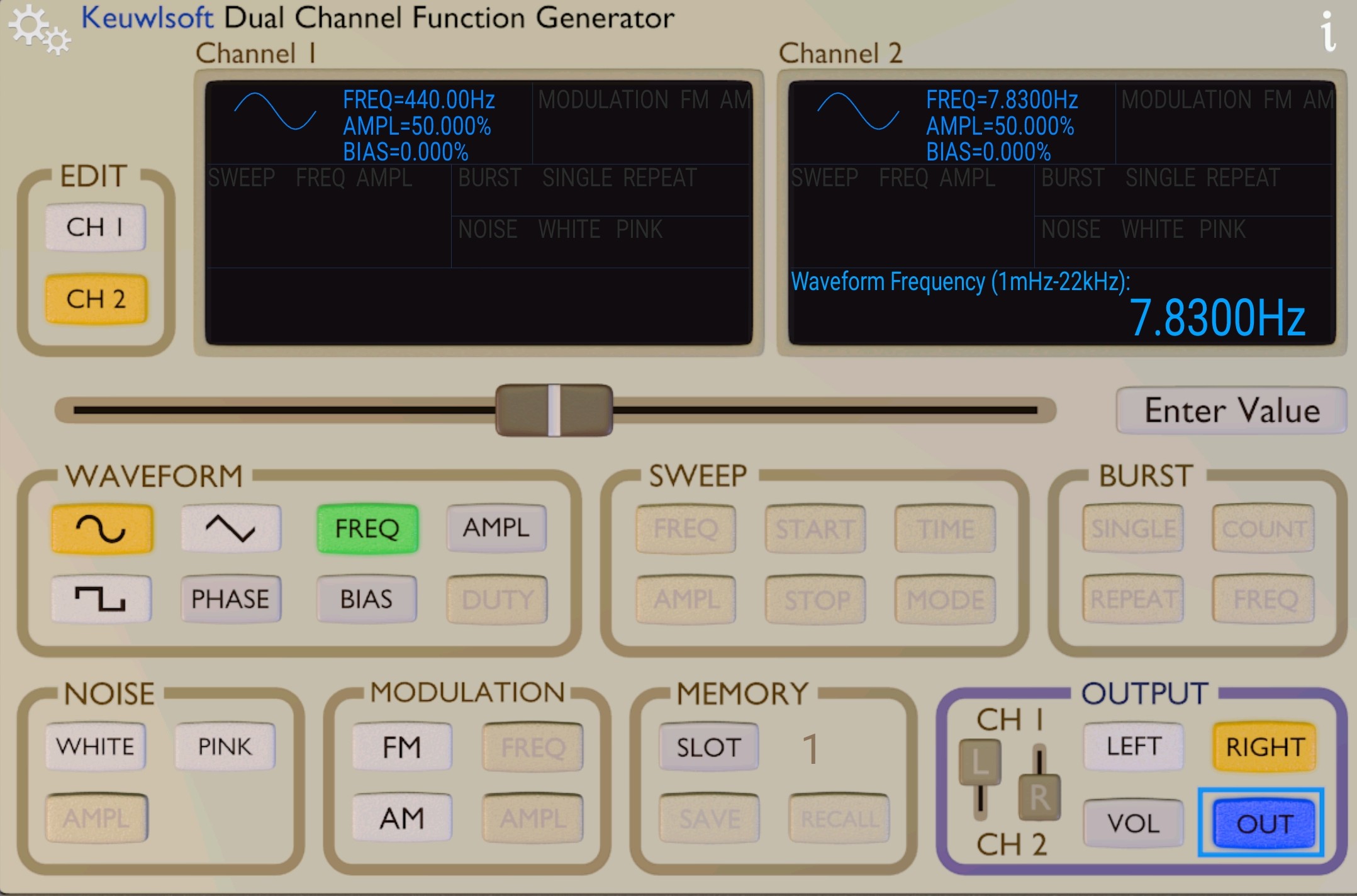
The second frequency will appear on the right-hand display.
The example below shows Channel 2 set to 7.83 Hz.
To activate the output, select the OUT control in the output section.
The LEFT and RIGHT controls can then be used to activate either channel separately or both channels simultaneously.
When using only one coil, connect it to Channel 1, which has been assigned to the left output.
A pair of headphones can be connected briefly to confirm that signals are present on both channels. Only a moderate volume setting is required.
The default application settings, including the VOL control, have proved suitable in our experiments and normally do not need to be altered.
In Essence
● The listed frequencies can be entered on a Feeltech dual-channel generator using the default kHz scale.
● Specific frequencies are provided for hay fever, insomnia, stress, anxiety, depression, allergies and autoimmune symptoms.
● The balancing system combines mental, emotional and physical observations to produce a three-digit code.
● Each three-digit code corresponds with one of 27 experimental frequencies.
● A phone or tablet can be used as an alternative signal generator with a suitable application and correctly wired jack lead.
● A multimeter should be used to identify the left, right and common connections before attaching the coils.
The frequency system is intended as a practical framework for experimentation rather than a fixed or completed method. Careful observation, accurate recording and balanced feedback will help determine which frequencies and procedures produce the most consistent results.
Click for the next page: EMF Project
